See what's eating your Mac. Delete what's safe.
Bytefree scans your disk, shows exactly what's taking space, and lets AI flag what's safe to remove. One-time purchase. No subscription.
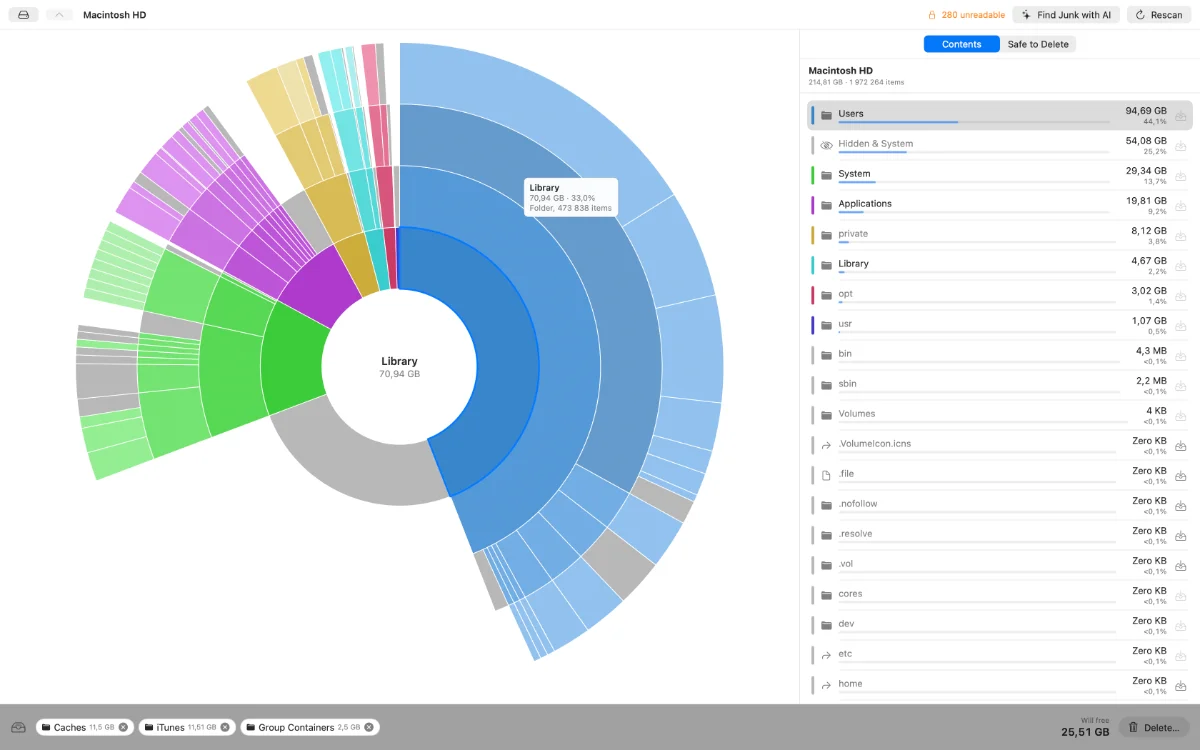
"Your disk is almost full" — but where did the space go?
Scan. See. Free.
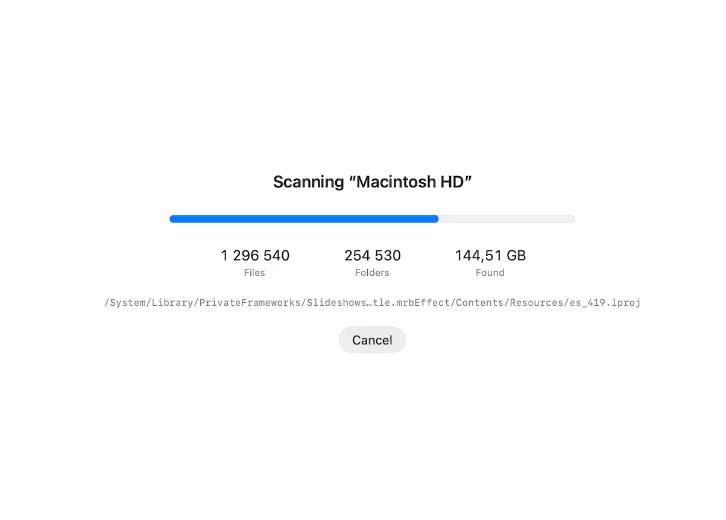
Scan
Scan a disk or folder. 1.4M files in ~7 seconds.
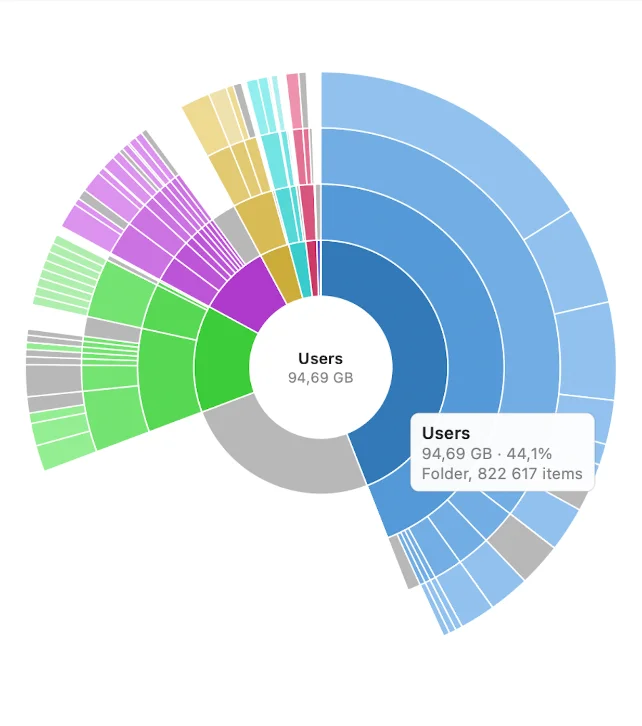
See
A pie chart and a sorted list show exactly what's big.
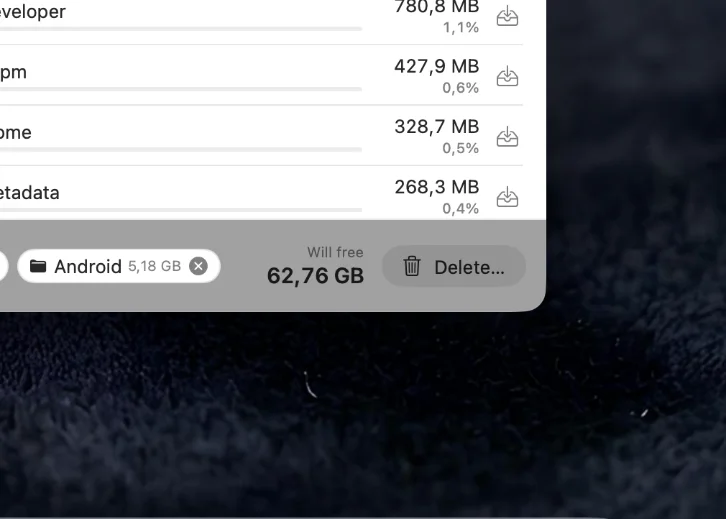
Free
AI marks what's safe. Delete it to the Trash in one click.
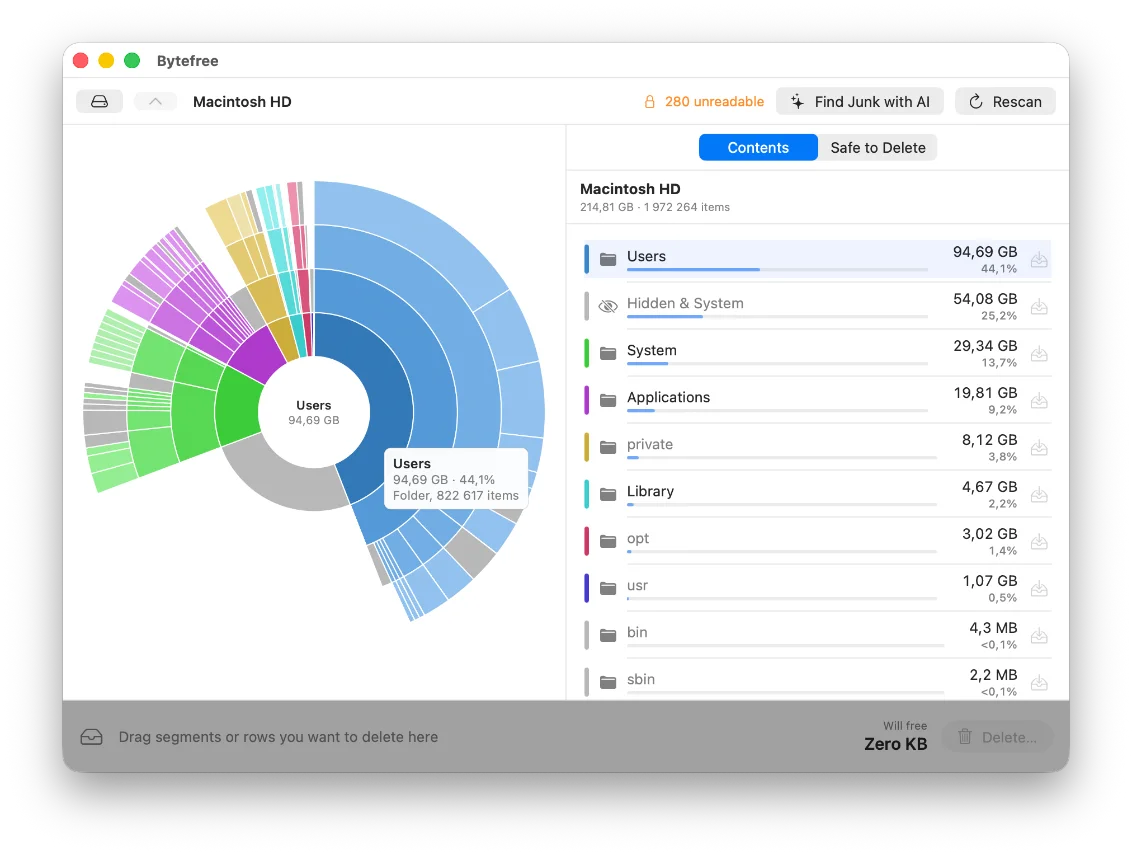
Fast, real sizes.
Measures actual disk usage like du — not estimates.
Pie chart with 4 nesting rings.
Click any folder to dive in.
Sorted list, big to small.
The space hogs float to the top.
Collector bin.
Drop junk in, review the total weight, delete once — with confirmation.
Let AI tell you what's safe to delete.
After a scan, Bytefree finds caches, builds, node_modules and logs, and groups them with their total size. Not sure about a folder? Ask AI what it is and what breaks if it's gone.
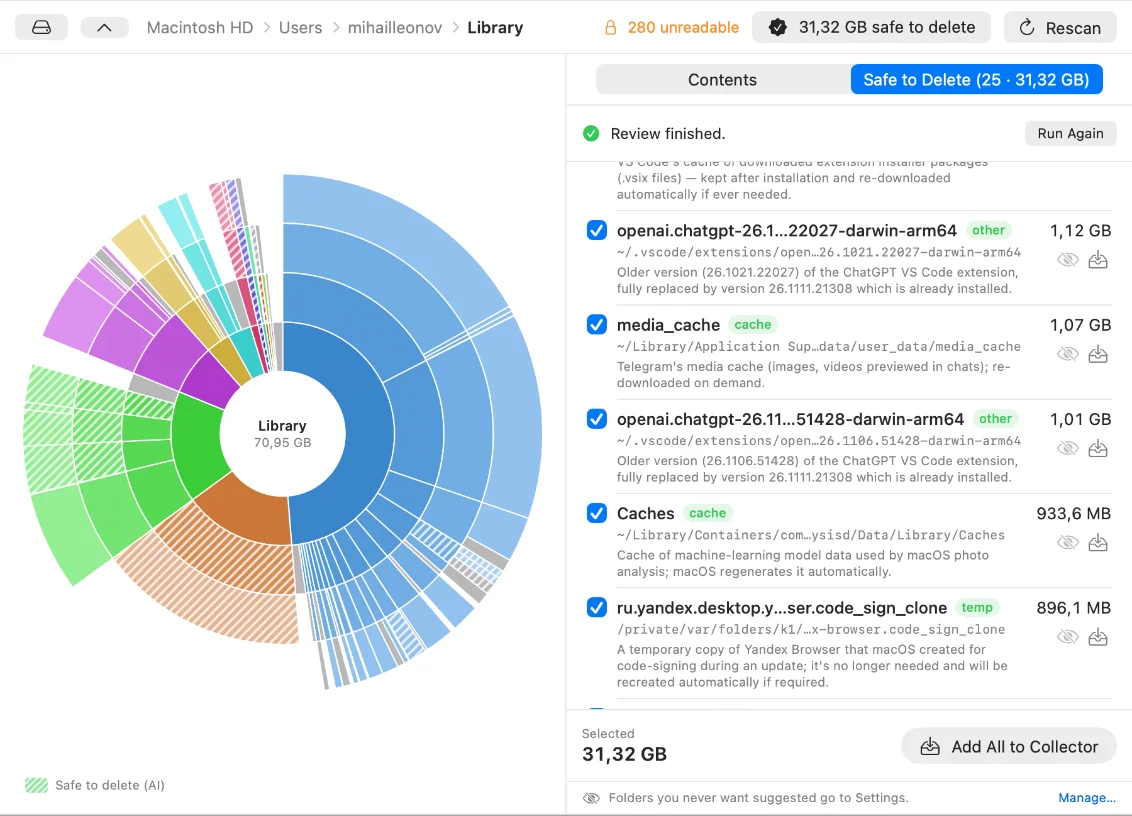
Safe to Delete
Caches, builds, node_modules, logs and temp files in one list with their total weight. One click: Add All to Collector.
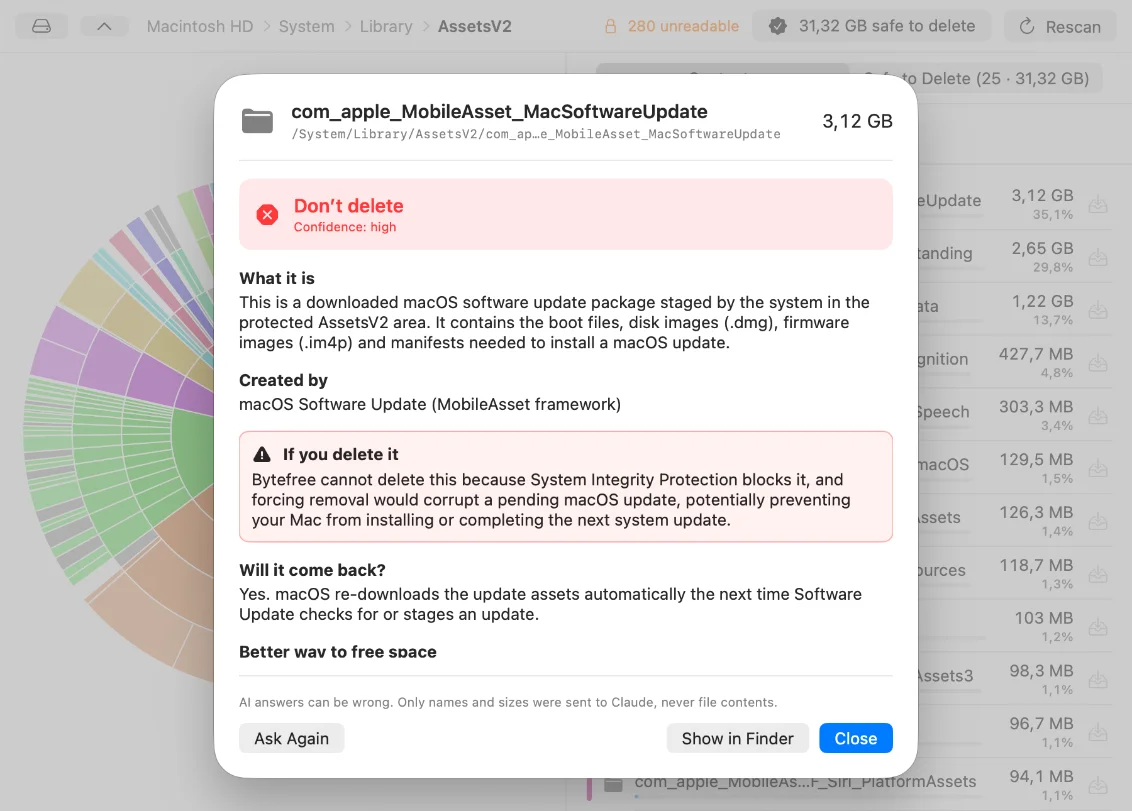
Ask AI
Ask about any folder: what it is, whose it is, what breaks if you delete it.
AI runs through your own Claude Code (Claude subscription). Everything else works without it.
Buy once. Keep it forever.
No subscription, no monthly fee. Pay once, the key works forever — even offline, even after reinstalling.
Safe by design.
Nothing leaves your Mac.
The scan is local. The key is checked offline.
Deletes go to the Trash.
Anything can be put back.
System folders are protected.
They can't be deleted.
Keep-list.
Folders AI will never suggest deleting.
Try free. Buy once.
Try it with 10 free scans. Buy only if it earns its place.
Requirements
FAQ
Is this a subscription?+
No. Pay once, lifetime key.
What happens after 10 free scans?+
New scans ask for a key; already-scanned results stay usable.
Do I need internet?+
No for scanning (local). Only for purchase and AI.
Do I pay extra for AI?+
No. AI runs through your own Claude Code / Claude subscription.
I reinstalled — is my key gone?+
No, it survives reinstall (stored in macOS Keychain).
Why does macOS warn about the developer?+
Not yet Apple-signed; use "Open Anyway" once.